

I'm having a small buy annoying problem. For some reason some textures are missing and some items like the backpack only display a blue model.
Does anyone have a fix to this? Do I reinstall Enderal?
Does anyone have a fix to this? Do I reinstall Enderal?
everythings is purple!!!!. Even the loading screen have purple texture
This happens when you dont use the actual enderal installer

poppy343 wrote:everythings is purple!!!!. Even the loading screen have purple texture
Uninstall Enderal with the launcher. Reinstall Skyrim. Then install Enderal by the following steps. Try another hoster. There could be problems with your current installation package.
Heya. After going through the launcher process, following the steps to the letter, I got pretty much everything to work, but some of the textures are missing.
Is there anything I did wrong?
Is there anything I did wrong?

Mine is The Holy Keeper Armour and some Paintings that you can make are Purple, Missing their textures 
And I DIDN'T use NMM, I did it the Official way.
And I DIDN'T use NMM, I did it the Official way.
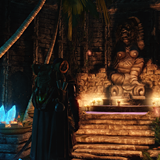
I'm having issues with missing textures as well but it only happen after the newest patch went live. Is there a way to jump back to a previous patch and try to reinstall the new without having to go through the trouble of uninstalling everything?
When I run the starter and click on "Launch Enderal", the Steam opens up and the Skyrim launcher opens up. I've seen an installation guide (https://youtu.be/dwlSsjehgQA?t=10m2s) and noticed that it doesn't happen. His game simply opens Enderal. After I click on "Play" in the Skyrim launcher, the game opens and all I can see is a purple-ish screen with the menu and after I select New Game, there is only the purple screen forever (I left the game open for hours and nothing happened).
I already reinstalled the game three times, can someone help me? My PC has all the requirements and I even tried running the game on minimum settings
I already reinstalled the game three times, can someone help me? My PC has all the requirements and I even tried running the game on minimum settings
Fresh Skyrim download, have tried re-downloading the Enderal file, and everytime I launch the game the loading screen defaults to a solid blue color, and most of the trees are pink. Any help apreciated!
geekforty wrote:I'm having issues with missing textures as well but it only happen after the newest patch went live. Is there a way to jump back to a previous patch and try to reinstall the new without having to go through the trouble of uninstalling everything?
- The launcher has to be closed!
- Go to this directory: C:\program files(x86)\Steam\Steamapps\common\Skyrim\EnderalLauncher\system\config.sur
- Edit the file (it's a textfile) with e.g. Notepad++ in this way: replace the "sCurrentVersion" with an older version (safest: "1.1.0.0".
- Update Enderal again
Well it could be that your installation package is corrupted/damaged. I would recommend to uninstall via Launcher and download a new installation file (8GB). The torrent download is the safest because some browsers can't handle the huge file size.
Tilliboy wrote:It's probably caused by a bug during the install of the patch. You can "let the launcher think" that you have an older version. However this does not remove the patches. BVut you can redownload the Patches!geekforty wrote:I'm having issues with missing textures as well but it only happen after the newest patch went live. Is there a way to jump back to a previous patch and try to reinstall the new without having to go through the trouble of uninstalling everything?
- The launcher has to be closed!
- Go to this directory: C:\program files(x86)\Steam\Steamapps\common\Skyrim\EnderalLauncher\system\config.sur
- Edit the file (it's a textfile) with e.g. Notepad++ in this way: replace the "sCurrentVersion" with an older version (safest: "1.1.0.0".
- Update Enderal again
Profile - Simzter

Profile - poppy343
Profile - Vaelic

Profile - stuemper

Profile - Prizm413

Profile - Prizm413
Profile - Dalec
Profile - geekforty
Profile - Aerebi
Profile - Thunderclaw5
Profile - stuemper
Profile - stuemper
Profile - geekforty